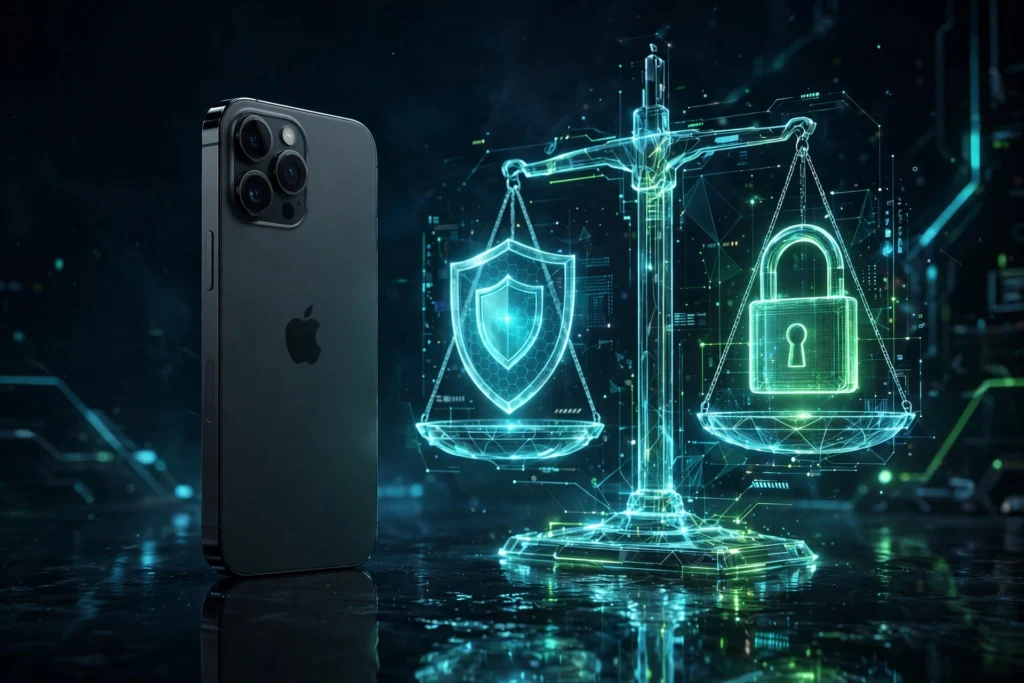
Is jailbreaking legal? For most people in the United States, the short answer is yes — jailbreaking your own phone is legal, but it is not free of consequences. Apple considers it a violation of the iOS software licence, Apple may refuse to service a jailbroken phone, and a jailbreak does change your security picture. Those three things can all be true at once, and they are the reason this question causes so much confusion.
This guide separates the three questions people usually mean when they ask “is jailbreaking legal and safe?” First, the law: what the US rules actually say. Second, Apple’s position: what the company can and cannot do about it. Third, the practical question: how safe is it, and can you undo it? We are not lawyers, and this is not legal advice — laws vary by country, and the rules can change. Before you jailbreak anything, use our Jailbreak Compatibility Checker to confirm that a jailbreak is even available for your device and iOS version.
The US Position: Jailbreaking Your Own Phone Is Legal
In the United States, jailbreaking a phone has an exemption under the Digital Millennium Copyright Act (DMCA). The Library of Congress and the US Copyright Office grant exemptions that allow people to circumvent the technical locks on their own phones for the purpose of interoperability — in plain language, to run software of their choosing on a device they own. That exemption is the reason jailbreaking your own iPhone is not a crime in the US, and not something you can be prosecuted for.
There are limits, and they matter. The exemption covers your own phone, for lawful uses. It does not give you a right to pirate apps, steal paid tweaks, or break other laws while you are at it. It also does not mean every device is treated the same way: tablets and other kinds of devices have been treated differently in different exemption rounds, so do not assume that what applies to a phone applies identically to an iPad or to a games console. And the exemption is reviewed and renewed periodically, so the details can shift over time.
Outside the United States, the position varies by country. Some countries have similar rules, some have no clear rule at all, and some restrict circumvention more tightly. If you live outside the US, check the law where you are — a US exemption does not travel with you.
One more distinction is worth making clearly: “legal” and “allowed by Apple” are not the same thing. Something can be legal and still break a company’s terms. Jailbreaking is the classic example, and that is where the next section comes in.
Apple’s Position: It Violates the iOS Licence
Apple’s position is the opposite of the legal position, and it is also clear. Jailbreaking violates the iOS end-user licence agreement — the terms you accept when you use an iPhone. Apple says jailbreaking can cause instability, security vulnerabilities, and shortened battery life, and it says the company may deny service for an iPhone that has been jailbroken. Those are service and warranty consequences, not criminal ones.
That last point is the one people misunderstand most. Apple denying service is not the same as Apple prosecuting you, and it is not the same as Apple bricking your phone remotely. It means that if you take a jailbroken phone to Apple for repair, Apple can refuse to work on it, or can refuse to cover a problem it considers jailbreak-caused, until the phone is restored to stock iOS. For many jailbreakers, that is an acceptable trade-off. For a phone that still needs warranty service, it may not be.
Warranty: what actually happens in practice
In practice, restoring a jailbroken iPhone to stock iOS through Finder or iTunes usually removes the visible evidence of the jailbreak, and the phone will then look like any other iPhone. That is why many people restore before a service visit. It is not a guarantee: if the damage itself was caused by the jailbreak — for example, a hardware problem that followed a bad modification — Apple can still decline to cover that damage. But a clean restore is the honest, practical step most people take, and it is also the step that makes the jailbreak fully reversible, which we cover below.
There is also a wider legal idea worth one honest sentence: under the US Magnuson-Moss Warranty Act, a manufacturer generally cannot void a whole warranty simply because you modified a product, unless the modification caused the problem — but Apple can still refuse service for jailbreak-caused damage, and arguing the point at a Genius Bar is rarely a good use of an afternoon. The practical rule is simpler: if the jailbreak caused it, expect to pay for it; if it did not, restore first and then ask.
Is Jailbreaking Safe? The Real Security Trade-Offs
“Safe” is a different question from “legal”, and the honest answer is: safer than the scare stories, riskier than a stock iPhone, and mostly dependent on what you install after the jailbreak. Jailbreaking removes part of the sandbox model that keeps iOS apps isolated from each other and from the system. That is the whole point — it is what lets tweaks change the system — but it also means a malicious tweak has more room to do damage than a malicious App Store app ever would.
Most of the real risk comes from what you choose to install, not from the jailbreak tool itself. A jailbreak from a well-known developer, installed on a supported device and iOS version, is a known quantity. A tweak from a sketchy repo is not. The biggest single risk factor is piracy repos: repos that distribute paid tweaks for free are a well-known route for malware, stolen credentials, and adware, and they are illegal as well. That is the same warning in our guide to fake jailbreak scams to avoid, and it applies here too — if a repo promises paid tweaks for free, stay away from it.
Banking apps and jailbreak detection
Many banking, payment, and streaming apps check whether a phone is jailbroken and refuse to run if it is. That is not the law, and it is not Apple — it is each app’s own security policy. Some jailbreakers use detection-bypass tweaks to get around those checks, but that is a cat-and-mouse game: an app update can break the bypass, and using a bypass to access a financial app on a modified phone is a risk you should think about in advance, not after your money is involved. If a banking app is essential to your daily life, that alone may be a reason to keep a second, stock device for banking, or to skip jailbreaking your main phone.
How to jailbreak as safely as possible
- Use a well-known jailbreak for your exact device and iOS version — check whether you can jailbreak iOS 26 and our compatibility checker first.
- Install tweaks only from trusted default repos and from developers’ official repos.
- Install one tweak at a time, and remove anything that causes instability.
- Keep a backup, so a bad tweak is an inconvenience, not a loss.
- Do not install piracy repos, cracked tweaks, or tweaks from unknown sources.
Reversibility: Can You Undo a Jailbreak?
Yes, in almost all cases. A full restore in Finder or iTunes removes the jailbreak and returns the phone to stock iOS. That is the cleanest way to undo it, and it is the step to take before a service visit or before selling the phone. A DFU restore is the most thorough version of the same idea.
There is one catch to plan around. A restore usually installs the latest iOS version that Apple is still signing, so you may not be able to go back to the exact iOS version you were jailbroken on. If you restore to a newer version, you may lose the ability to jailbreak that phone again, at least until a jailbreak for the new version appears. That is a trade-off, not a trap — but it is worth knowing before you restore, especially if you jailbroke a specific version on purpose.
Myth vs. Fact
| Claim | True or false? | What is actually true |
|---|---|---|
| Jailbreaking will brick your phone forever | False | A bad tweak or failed jailbreak can cause a boot loop, but a Recovery Mode update or a full restore usually brings the phone back. |
| Jailbreaking is illegal | False, in the US for your own phone | The DMCA exemption allows jailbreaking your own phone for interoperability. Laws vary in other countries. |
| Jailbreaking unlocks your carrier | False | Jailbreaking does not remove a carrier lock. Carrier unlocking is a separate process, through your carrier. |
| Jailbreaking voids your warranty permanently | False | It violates Apple’s licence and Apple may deny service, but a restore to stock removes the jailbreak, and warranty is not permanently voided by the act alone. |
| Jailbreaking makes your phone unsafe | Partly true | It removes part of the sandbox, so risk rises — but most risk comes from sketchy repos and piracy tweaks, which you can avoid. |
| You cannot undo a jailbreak | False | A full restore in Finder or iTunes removes it, though you may end up on a newer iOS version. |
Frequently Asked Questions
Can Apple tell if I jailbroke my phone after I restore it?
Usually, no. A full restore to stock iOS removes the jailbreak and its visible traces. Apple can still decline to cover damage that was caused by the jailbreak itself, but a restored phone looks like any other restored phone.
Is jailbreaking the same as unlocking my carrier?
No. Jailbreaking changes what software you can run on your phone. Carrier unlocking removes a restriction on which carrier’s SIM you can use, and it is a separate process, usually done through your carrier. Jailbreaking does not unlock a carrier, and it does not bypass iCloud Activation Lock.
Is it safe to jailbreak if I only use trusted tweaks?
It is safer than installing tweaks from unknown sources, but it is still less locked-down than a stock iPhone. Stick to trusted repos, install one tweak at a time, keep a backup, and think twice before using banking apps on a jailbroken phone.
The Bottom Line
Is jailbreaking legal? In the United States, jailbreaking your own phone is legal under the DMCA exemption for interoperability — but it violates Apple’s licence, it can cost you service or warranty cover for jailbreak-caused damage, and it does make your phone less locked-down than a stock iPhone.
That is the honest trade-off. It is not a crime, it is not a permanent bricking, and it is not a carrier unlock. It is a legal choice with real consequences, and it is reversible with a full restore. If you understand those three ideas, you can decide for yourself — and if you do jailbreak, do it from trusted sources, one tweak at a time, with a backup in place.