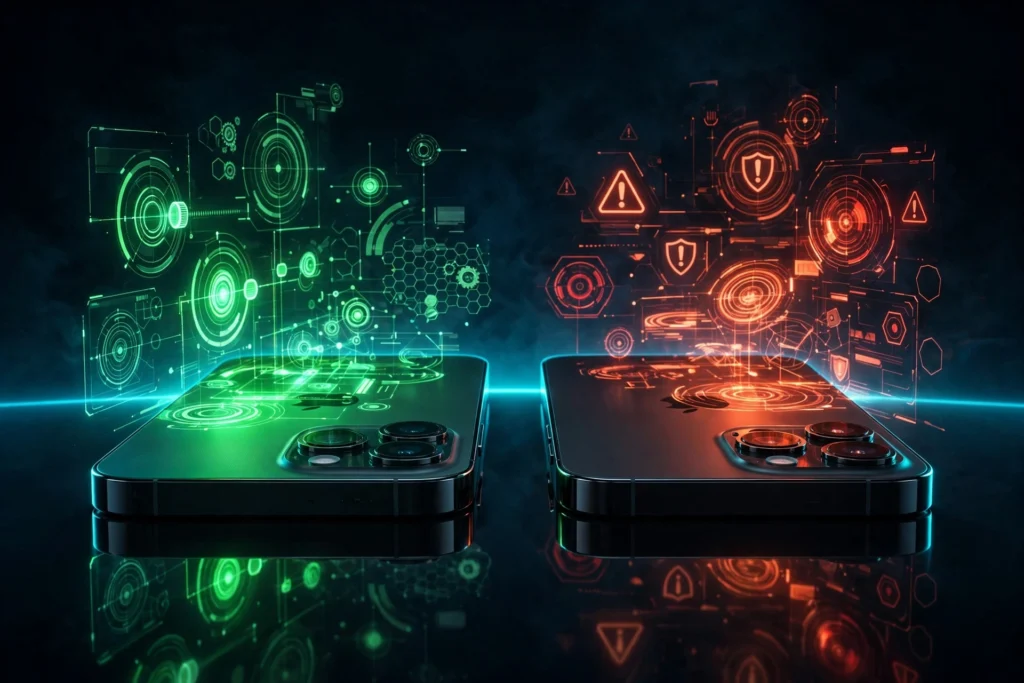
Jailbreaking an iPhone sounds simple in a headline: remove Apple’s limits, install what you want, and make the phone yours. The reality is more mixed. For some people, on some devices, it is genuinely useful. For others, it brings problems that outweigh anything it adds. This guide lays out the risks and benefits of jailbreaking honestly, so you can decide with clear eyes instead of hype.
The short version is this: jailbreaking trades Apple’s security and stability for freedom and control. That trade can be worth it, but only if you understand what you are giving up, and only on a device where you can afford the consequences. If this is your only phone, your banking phone, or your work phone, the answer is usually no.
What Jailbreaking Actually Does, and What It Does Not Do
Jailbreaking removes software restrictions on iOS so you can gain root access to the operating system. That lets you install tweaks, themes, and apps from outside the App Store, change system settings Apple does not expose, and run tools that need deeper access than a normal app is allowed to have. It is a change to the software on your phone, not a change to its hardware.
It does not unlock your iPhone from a carrier, remove an iCloud Activation Lock, or bypass a forgotten passcode. It does not make a stolen phone usable, and it does not give you free access to paid apps. Any site that promises those things is not describing a jailbreak. It is describing a scam, and it is using the word jailbreak to sell it.
It also does not make your phone magically faster or give you a new iOS version Apple has not released for your model. Some tweaks can improve how a phone feels to use, but no tweak can add hardware your phone does not have, and no jailbreak can make an unsupported device run a newer iOS.
The Benefits, Honestly
The benefits are real, and it would be dishonest to pretend they are not. They are also narrower than they used to be, because stock iOS has added many features that once needed a jailbreak. Here is what jailbreaking still offers in 2026.
Real customization beyond stock iOS
Customization is still the most common reason people jailbreak. A jailbroken iPhone can change its icons, fonts, Control Center, Lock Screen, app grid, animations, and system sounds in ways stock iOS does not allow. Stock iOS now lets you tint icons, move widgets, and change the Lock Screen, but it still does not let you reshape the Home Screen, change the system font, or redesign Control Center from scratch. If the look and feel of your phone matters a lot to you, that freedom is a genuine benefit.
System tweaks and utilities Apple does not offer
Beyond looks, jailbreaking allows system-level tweaks that Apple does not offer. Examples include always-on display controls on older devices, more powerful file managers, system-wide ad and tracker blocking, better clipboard history, and automation that reaches deeper into iOS than the Shortcuts app. For a power user, these are not gimmicks. They can make a phone noticeably more useful day to day.
That said, you should be honest with yourself about how many of these you would actually use. Many people install a dozen tweaks, use two of them, and keep the rest running in the background, draining battery and causing the very instability they then blame on the jailbreak itself.
Package managers: Sileo and Zebra
Once jailbroken, you install tweaks through a package manager, most commonly Sileo or Zebra. Cydia was the original package manager, but it is no longer the standard on modern jailbreaks. Our guide to the best Cydia alternatives explains how Sileo and Zebra work, how repositories work, and why you should only add sources you trust. A package manager is the App Store of the jailbreak world, and just like any other store, some of what it sells is excellent and some of it is not.
Learning and research value
There is real learning value in jailbreaking, especially for students, developers, and security researchers. A jailbroken device lets you see how iOS works under the surface, test your own software, and understand how Apple protects the system. That is a legitimate reason to jailbreak, and it is one of the best reasons to do it on a spare device rather than your main phone.
Reviving older devices
Jailbreaking can also give an older iPhone a second life. A device Apple no longer supports with new iOS versions can still be useful with a lighter setup, a few tweaks, and apps sideloaded or installed from a package manager. It will not become a new phone, and it will not be as secure as a supported device, but for a spare, a media player, or a test device, a jailbreak can be a better fate than a drawer.
The Risks, Honestly
The risks are equally real, and they are the reason most people should not jailbreak their main phone. None of these is a scare story. They are the normal consequences of removing the protections Apple built into iOS.
Security model tradeoffs
iOS is designed around a security model called sandboxing. Each app runs in its own sealed area and can only reach the files and data it is allowed to reach. Jailbreaking deliberately breaks that model so you can change the system. That is the point, but it also means a malicious tweak, a bad repository, or a compromised app has more room to do damage. You are the security model now. If you install a bad package, there is no App Review process to stop it.
That does not mean every jailbroken phone gets hacked. It means the safety net is thinner, and the person keeping the phone safe is you. That is a fair trade for some people and a bad one for others.
Instability and boot loops
A jailbroken phone is more likely to crash, freeze, drain its battery faster, or fail to boot. A single bad tweak can send the phone into a boot loop, where it shows the Apple logo, restarts, and shows it again. That is not a rare edge case. It is one of the most common problems jailbreakers face, and it is why we wrote a separate guide to fixing an iPhone stuck on the Apple logo. A backup and a restore plan are not optional extras here. They are part of the cost of jailbreaking.
Banking apps and other apps that detect jailbreaks
Many banking apps, payment apps, work apps, and games check whether a phone is jailbroken and refuse to open if it is. They do this because a jailbroken phone cannot prove its system has not been changed, and they do not want to handle money on a modified device. Some jailbreak tweaks claim to hide the jailbreak from these apps, but hiding is a cat-and-mouse game. An app that worked yesterday may stop working after an update, and there is no guarantee a bypass will exist tomorrow.
If you rely on a banking app, a work authenticator, or a game with anti-cheat checks, assume jailbreaking will break something you need. Test it on a spare device first, not on the phone you need to pay rent with.
Warranty and service consequences
Jailbreaking can affect warranty and service. Apple may refuse to service a jailbroken device, or ask you to restore it to stock iOS first. Restoring usually removes the jailbreak, but it does not rewrite history: if a hardware fault was caused by a bad tweak or a failed install, a restore will not fix it. Our guide Is Jailbreaking Legal and Safe? Warranty, Security, and Reversibility Explained sets out the legal position, the warranty position, and what restoring the phone does and does not undo. In most countries, jailbreaking a phone you own is not a crime, but that does not mean Apple has to support it.
Update lock-in
Once you jailbreak, you cannot just install the next iOS update. Almost every update patches the flaws the jailbreak depends on, so updating removes the jailbreak. You also cannot go back, because Apple stops signing older iOS versions quickly. That means you must choose, for long stretches, between the latest security fixes and the jailbreak. Staying on an old iOS version is itself a security decision, and it is one you should make knowingly, not by accident.
The scam ecosystem around fake tools
Finally, there is the scam ecosystem that surrounds jailbreaking. Because real jailbreaks are rare and only work on some devices, scammers fill the gap with fake tools, fake websites, and fake apps that promise a jailbreak for every iPhone. Our guide to fake jailbreak scams to avoid lists the patterns: browser-only jailbreaks, survey walls, paid unlocks, and clones of real tool websites. If you go looking for a jailbreak, you will meet these scammers. The safest defence is to check compatibility first and to use only official sources, as explained in our guide to how to jailbreak safely.
Benefits vs Risks by User Type
There is no single verdict that fits everyone, because the answer depends on who you are and what phone you are using. This table gives a straight answer for the three most common situations.
| User type | Main benefit | Main risk | Verdict |
|---|---|---|---|
| Experienced tinkerer who enjoys customizing, can back up and restore a phone, and accepts the risks | Deep customization, system tweaks, and learning value | Instability, security tradeoffs, and apps that detect the jailbreak | Worth it |
| Someone whose iPhone is their only phone, used for banking, work, and daily life | Customization you may not have time to use | Banking apps refusing to open, boot loops, and update lock-in | Skip it |
| Someone with an older spare device they can experiment on | A second life for old hardware, plus a safe place to learn | The spare is less secure and cannot be relied on as a daily phone | Only on a spare device |
Read that table again if you are in the second row. If you only have one phone, the honest answer is skip it. If you have an older spare, that is where to try it, not on the phone you need every day.
The 2026 Reality: Most Modern iPhones Cannot Be Jailbroken at All
There is one more fact that changes the whole decision in 2026: most people with a modern iPhone cannot jailbreak at all. There is no public jailbreak for iOS 26, and there is no jailbreak for the newest iPhones on the latest iOS versions. That is not a matter of finding the right website. The tools do not exist.
Check before you decide anything. Use the Jailbreak Compatibility Checker and enter your exact iPhone model and iOS version. If the answer is no jailbreak, that is the answer. Do not pay a site that claims it can change it, and do not download a tool that claims to work on every device. That tool is a fake.
For most people, stock iOS plus sideloading now covers most of what they wanted from a jailbreak. You can change the look of your phone a long way without jailbreaking, as shown in our guide to customize your iPhone without jailbreaking. You can also install apps from outside the App Store without a jailbreak, using AltStore and SideStore to sideload apps on iPhone. Neither gives you system-level tweaks, but both give you the most common benefits of jailbreaking without giving up Apple’s security model.
That is a real change from ten years ago, when jailbreaking was the only way to get a custom Home Screen or install an app Apple had rejected. Today, the gap is smaller, and for many people it is not worth the trade anymore.
How to Decide in Five Minutes
If you are still unsure, answer these five questions honestly, in order.
- Can you name a real jailbreak tool for your exact iPhone model and iOS version? If not, stop. There is nothing to decide yet.
- Is this your only phone? If yes, skip it.
- Do you need banking, work, or payment apps every day? If yes, skip it unless you can test on a spare first.
- Do you have a full, checked backup and a restore plan? If not, fix that before you think about jailbreaking.
- Would stock iOS plus sideloading give you most of what you want? If yes, try that first. You can always revisit jailbreaking later.
If you answered yes to the first question, no to the second and third, and yes to the fourth, you are a reasonable candidate for a jailbreak on a spare device. If you answered differently, the honest answer is to wait, use the alternatives, or not jailbreak at all.
Frequently Asked Questions
Is jailbreaking illegal?
In most countries, jailbreaking a phone you own is not a crime, but it can affect your warranty and service, and it may break the terms of some apps. The legal and safety guide linked above explains the position in detail. Do not take a headline as legal advice for your country.
Will jailbreaking make my iPhone faster?
No. Jailbreaking adds software to your phone. Some tweaks can make it feel more responsive, but most tweaks add work for the phone to do, and a bad tweak can slow it down or drain the battery. If speed is the goal, free up storage and update your apps instead.
Can I undo a jailbreak?
Yes, in most cases you can remove the jailbreak by using the tool’s remove option or by restoring the phone to stock iOS. That removes the jailbreak files, but it does not undo every consequence, and it does not restore data you did not back up. Read the legal and safety guide before you start.
Is it worth jailbreaking an old iPhone?
Often, yes, if it is a spare device. An old iPhone is where jailbreaking makes the most sense: you get customization and a second life for the hardware, and you are not risking your main phone. Just remember it will be less secure than a supported device, so do not use it for banking.
Jailbreaking is neither a magic trick nor a disaster. It is a tradeoff, and the right answer depends on your device, your needs, and how much risk you can afford. If you do it, do it on a spare, with a backup, with a real tool, and with your eyes open. If you do not, you are not missing out on as much as the hype suggests, because stock iOS and sideloading have closed much of the gap.